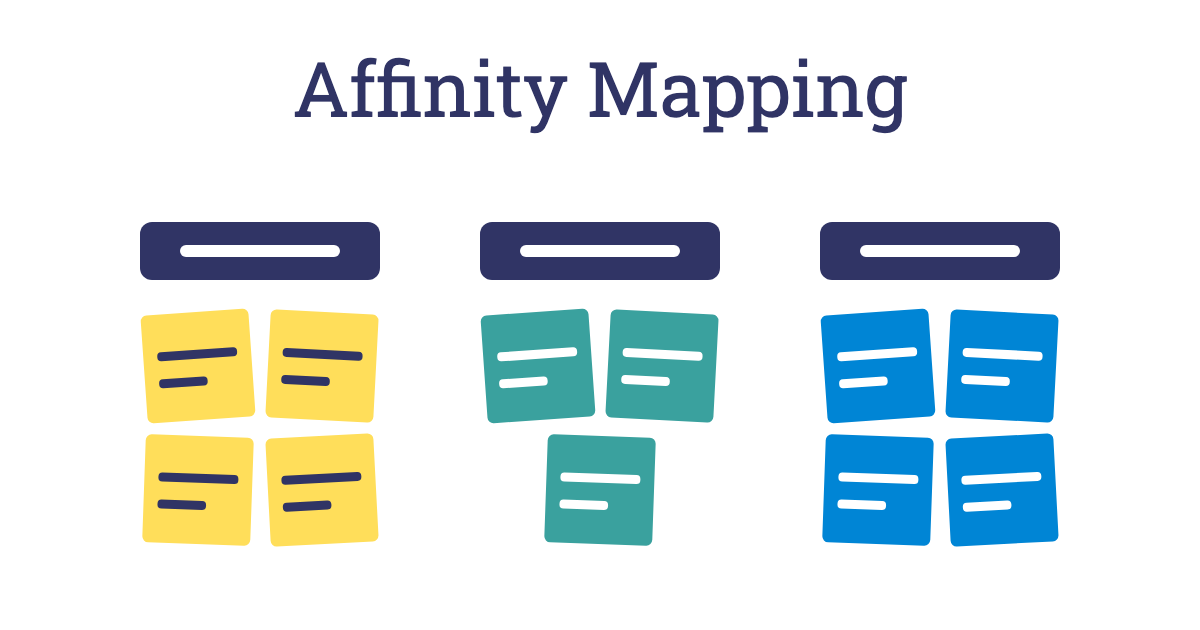
Affinity mapping turns a wall of scattered sticky notes into a handful of clear themes. Everyone writes ideas, observations or research findings on notes, then the group moves them into clusters of things that belong together and gives each cluster a name. Patterns that nobody could see in the raw notes become obvious.
The technique grew out of the KJ method, developed by the Japanese anthropologist Jiro Kawakita in the 1960s to make sense of large amounts of field research. Today it is used in service design, user research, quality improvement and strategy work, anywhere a group has more information than it can hold in its head. Sorting the notes in silence at first lets everyone shape the themes, rather than the loudest voice deciding the categories.
Method
Set a question, write and post the notes, sort them silently into groups, name the themes, then discuss and prioritise them.
Step 1: Set the question
Write a clear question or focus on the wall, such as “What did we hear from tenants about repairs?” or “What gets in the way of our team working well?”. Everything that follows should relate to it.
Step 2: Write the notes
Ask everyone to write one idea, finding or quote per sticky note, using a marker pen and a few words that others can read from a distance. If you are working from research, prepare the notes in advance, or ask each person to pull out what they noticed from interviews or observations. A few dozen notes or more is normal.
Step 3: Put the notes up
Ask everyone to stick their notes on the wall in no particular order. Read a few aloud so people get a feel for the range.
Step 4: Sort in silence
Invite the whole group to move notes into clusters of things that seem to belong together, without talking. Anyone can move any note, and if a note keeps moving back and forth between two groups, make a copy and put it in both. Silent sorting keeps things moving and avoids long debates about single notes. Allow ten to twenty minutes, depending on the number of notes.
Step 5: Name the themes
Once the movement slows down, start talking. For each cluster, agree a short heading that sums up what the notes have in common, and write it on a larger note or card above the group. Good headings say something, such as “People don’t know who to call”, rather than just naming a topic, such as “Communication”. Split clusters that are too big and merge any that overlap.
Step 6: Discuss and prioritise
Read the themes aloud and ask what stands out, what is surprising and what is missing. If you need to decide where to focus, use dot voting to choose the most important themes.
Outcome
A large, messy set of information becomes a small number of clear, named themes that the whole group helped to create. The team shares an understanding of the patterns in its ideas or research, and has a clear basis for deciding what to work on next.
Tips for Facilitators
- One idea per note: notes with two or three points on them are hard to sort, so ask people to split them up.
- Let the themes emerge: resist starting with categories. Sorting from the bottom up often reveals groupings nobody predicted.
- Keep it silent at first: talking too early slows the sorting down and lets a few people take over.
- Allow an odd ones out pile: not every note has to fit a theme, and a small pile of strays can hold the most interesting insights.
- Photograph as you go: take a photo before and after sorting, and type up the themes and notes soon after the session.
Variations
- Straight from a brainstorm: use affinity mapping to sort the ideas from a Post-it Avalanche.
- Research synthesis: after interviews, use the themes to build an empathy map or a customer journey map.
- Themes of themes: once you have themes, group them again under a few higher-level headings to see the bigger picture.
- Table by table: with a large group, give each table its own set of notes to sort, then compare the themes across tables.
Accessibility and Online Sessions
Place notes at a height everyone can reach, including wheelchair users, or sort on a large table instead of a wall. Read notes aloud during the silent sorting for anyone who cannot see them easily, and let people point and ask a partner to move a note for them. Use thick pens and large writing, so notes are readable from a distance. Online, use a digital whiteboard where everyone can drag notes, prepare the notes in advance if typing is slow for some people, and share your screen so those who are not editing can follow along.